
Brand it and add payment guidance
Add your logo and brand colour, then optionally include a reviewed payment-link or EPC/SEPA transfer QR before exporting.
Free invoicing for freelancers and small businesses. Create, review, and export a professional invoice—with free PDF, PNG, SVG, and CSV exports.
A focused workspace for invoices, quotes, estimates, proforma invoices, receipts, and credit notes.
Create without an account and keep control of your working data.
New to invoicing? Follow the step-by-step invoice guide
Need customer details first? Find a company before starting the invoice
Free exports include a small linked InvoiceCraftly credit in the document footer.
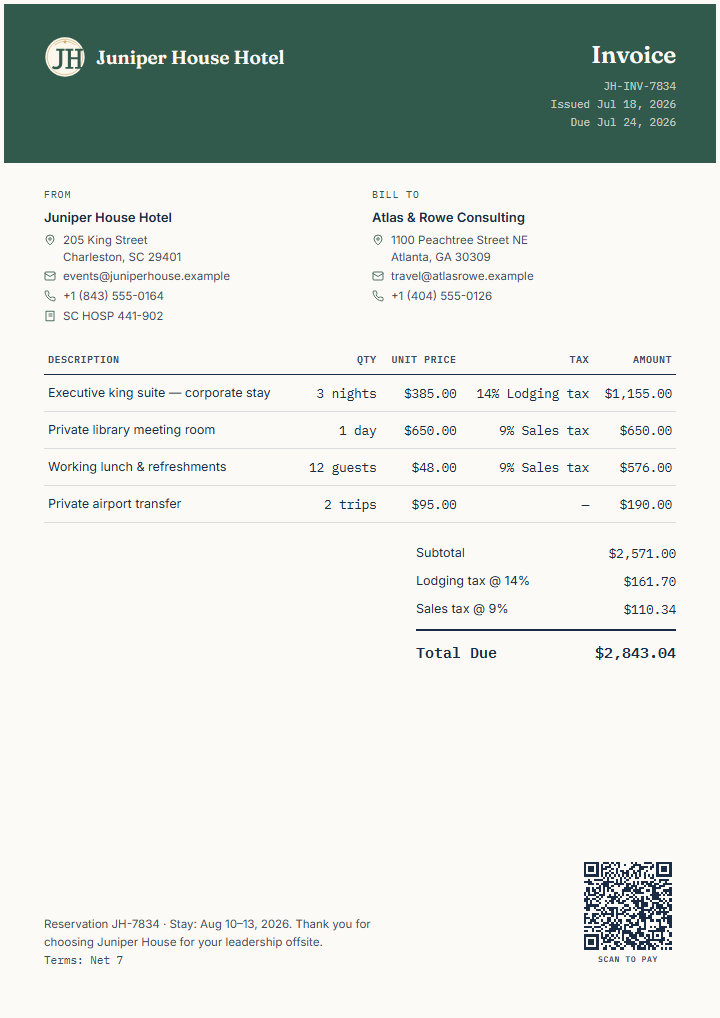 See the finished document
Describe your invoice in plain language. InvoiceCraftly extracts the details so you can review them and create an editable draft faster.
"Invoice Contoso Ltd. for 8 hours of Power Apps consulting at DKK 950/hour and 2 hours of support at DKK 750/hour. Due in 14 days. VAT 25%."
You review the extracted details before a draft is created.Create a polished document, keep control of the work behind it, and reuse the same workspace when the next invoice comes around.
Add your logo and brand colour, then optionally include a reviewed payment-link or EPC/SEPA transfer QR before exporting.
Reopen multiple documents, duplicate work, create the next invoice, and keep your own backups. An account is optional.
Create an invoice, quote, estimate, proforma invoice, receipt, or credit note in one invoice editor, without learning a different workflow for each document.
Import reviewed rows from CSV or pasted spreadsheet data, build professional wording, and export structured CSV alongside the finished document.
In supported countries, search public company data, review the result, and start an editable invoice with selected business details already filled in.
Search Brønnøysundregistrenes Enhetsregister using a company name or organisasjonsnummer, review the public details, then carry the selected customer into an editable invoice.
Søk etter norsk bedriftSearch PRH / YTJ open data using a company name or Y-tunnus, review the public details, then carry the selected customer into an editable invoice.
Hae suomalaista yritystäSearch Bolagsverket — Värdefulla datamängder by organisationsnummer, review the public details, then carry the selected customer into an editable invoice.
Sök svenskt företagSearch Det Centrale Virksomhedsregister (CVR) via Datafordeleren by CVR number, review the public details, then carry the selected customer into an editable invoice.
Slå dansk virksomhed opSee how a photographer invoice separates production, retouching, and usage licensing →
See how fictional businesses move from proposal to payment record →
Enter your business and client, then add line items manually or import them from a CSV.
Check calculations, payment details, layout, and the final one-page preview.
Download PDF, PNG, or SVG, then deliver it using the channel you choose.
Watch a fictional project move through the real InvoiceCraftly editor—from business and client details to line items, branding, payment guidance, review, and export.
Captioned video. A full transcript is available below.
Video loads when you press Play.
Use the complete invoice guide for numbering, payment terms, VAT, currencies, credit notes, e-invoices, and final review. Or open a focused invoice tool for one calculation or check.
Documents are created and saved in your browser — no account required.
Nine concise answers about free use, accounts, storage, branding and payment QR codes, describing an invoice with AI, exports, document types, CSV import, and working with multiple invoices.
Yes. The editor and PDF, PNG, SVG, and CSV exports are free to use without an account. Exports include a small linked InvoiceCraftly credit in the footer.
No. You can create and export documents without signing up.
By default, your working documents are saved on this device. You can export a workspace backup, and optional storage features are separate choices. See Privacy for the current storage options.
Yes. Upload your business logo, choose a brand accent colour, and optionally add a payment-link or EPC/SEPA transfer QR code. A contact-card QR shares seller contact details instead of payment instructions.
Before sending, scan the QR once and confirm the payment details shown by the receiving app. Compare QR modes.
Yes. Describe the work in plain language and InvoiceCraftly extracts the details into an editable draft. Review and adjust every field before you create the document.
You can export PDF, PNG, SVG, and CSV files directly from the editor.
The same editor creates invoices, quotes, estimates, proforma invoices, receipts, and credit notes.
Yes. Choose Import from CSV beside the line-item controls, then upload a CSV or paste rows copied from a spreadsheet. InvoiceCraftly matches descriptions, quantities, units, prices, and tax fields. Review the rows and confirm once to add every ready item. Follow the CSV line-item import guide.
CSV import is for line items. Use a Workspace backup when you need to restore a complete editable document.
Yes. Recent documents lets you reopen multiple documents saved on this device, duplicate one, create the next invoice, and use Undo or Redo during the current editing session.
Add your details, review the completed document, and export it in the format you need.