
Freelancer invoice template for creative strategy, design delivery, and project handoff.
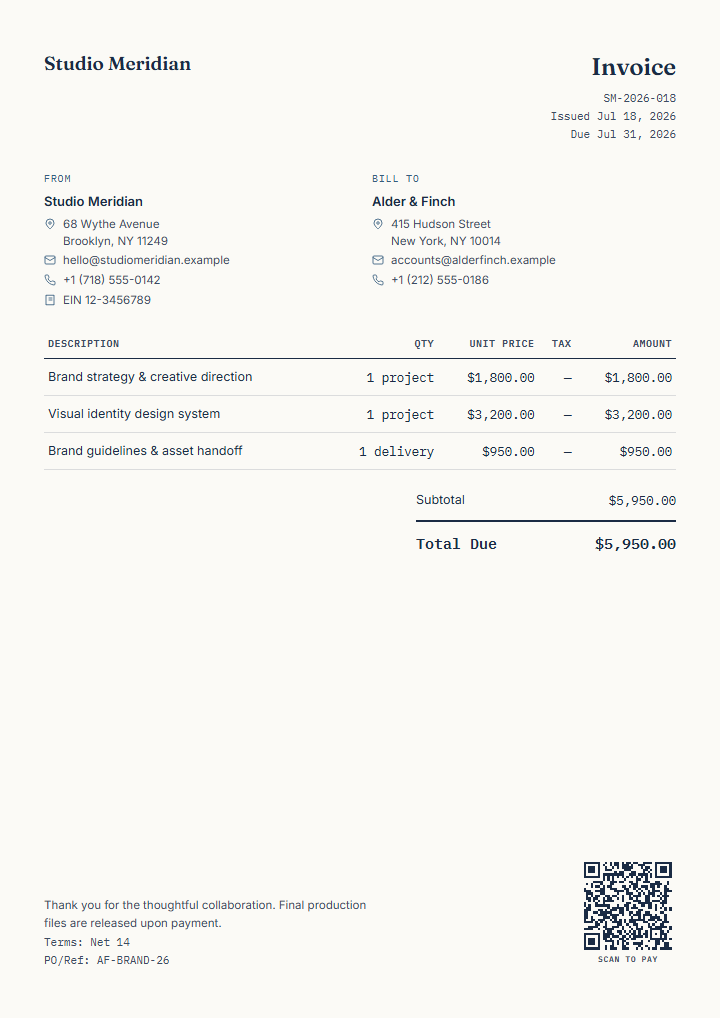
This editable freelancer invoice template separates strategy, core design delivery, and final asset handoff so the client can connect the invoice to the completed scope.
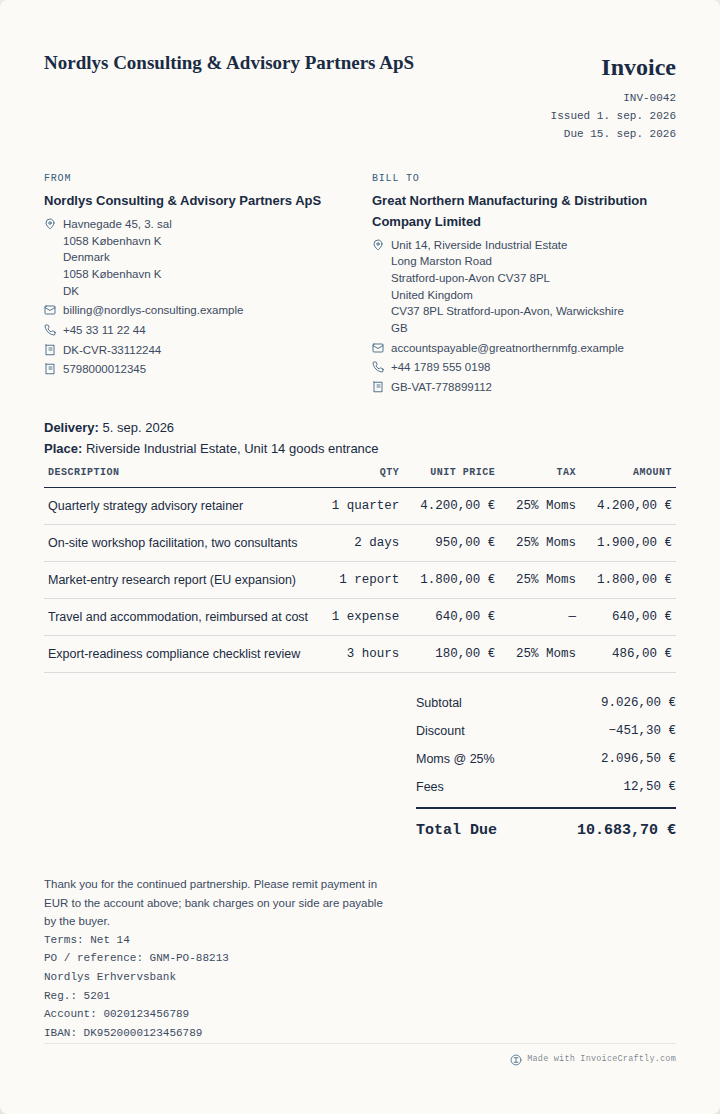
 Open this template →
What should a freelancer invoice include?
A freelancer invoice normally shows: your name or business name and contact details; the client's name and address; a unique invoice number; the issue and due dates; a client reference or PO number if one exists; one line for each agreed deliverable, phase or block of hours, with quantity and price; a subtotal, any tax and a total; and payment details with the terms. Naming each phase on its own line shows the client what the fee covers instead of one unexplained amount.
This is common practice, not a legal checklist; requirements differ by country and by whether you are registered for tax. For the EU VAT basics, see what an invoice must include.
| Line | Quantity | Unit price | Tax | Amount |
|---|---|---|---|---|
| Brand strategy & creative direction | 1 project | $1,800.00 | None | $1,800.00 |
| Visual identity design system | 1 project | $3,200.00 | None | $3,200.00 |
| Brand guidelines & asset handoff | 1 delivery | $950.00 | None | $950.00 |
| Subtotal | $5,950.00 | |||
| Total due | $5,950.00 | |||
Amounts are fictional. Whether tax applies to your invoice depends on where you and your client are and whether you are registered.
Why this structure works
- Project phases remain visible instead of collapsing into one unexplained fee.
- Fixed project and delivery units keep value separate from time tracking.
- A client reference and Net 14 terms make approval and payment easier to route.
- The optional payment-link QR appears in the preview and supported visual exports only when enabled.
Finished example content
- Strategy: brand strategy and creative direction
- Design: visual identity design system
- Handoff: guidelines and production assets
- Payment: client reference, Net 14, and scan-to-pay link
Match the line-item structure to the way the work was agreed.
Start closer to the service you actually provide.
These existing templates use different fictional scopes and billing structures. Open one only when its shape is useful, then replace and verify every example field.
Fields to replace before sending
Record the project only after payment is confirmed.
The fictional receipt carries the supplied creative work and original invoice reference into a settled-payment document. It hides due terms, labels the total as paid, and uses a contact QR rather than presenting another payment request.
Know the limits before you send it.
InvoiceCraftly generates the finished invoice, your logo, and an optional payment QR in the browser, then exports PDF, PNG, or SVG. It does not store client data on a server, chase late payments, or replace a signed project agreement.
Use the Receipt starting point above once payment for this project has been confirmed, or a Quote when the work is still being proposed.
Common freelancer questions
Can I invoice fixed-price work and hourly additions together?
Yes. Each line can have its own quantity, unit, price, and tax rate, so project milestones and extra hours can appear together.
Can I add my own logo and payment QR?
Yes. Upload your logo, select an accent colour, and choose a supported payment-link, EPC/SEPA, or contact-card QR mode.
Does this replace a project agreement?
No. The invoice records billing information. Scope, rights, acceptance, cancellation, and other contractual terms should be handled appropriately for your engagement.
Ready to adapt this project invoice?
Customize this invoice templateFictional example data: Replace and verify every demonstrated business, identifier, rate, payment link, reference, and amount before sending.