Fashion designer · Quote → Invoice → Receipt

Keep a custom design project clear from proposal to paid record.

Elena is a fictional independent fashion designer preparing a capsule-collection project for a fictional boutique. The sequence separates proposed creative work, completed delivery, and payment confirmation.

Example scenario: The person and business described on this page are fictional and demonstrate a possible InvoiceCraftly workflow. This is not a customer testimonial.
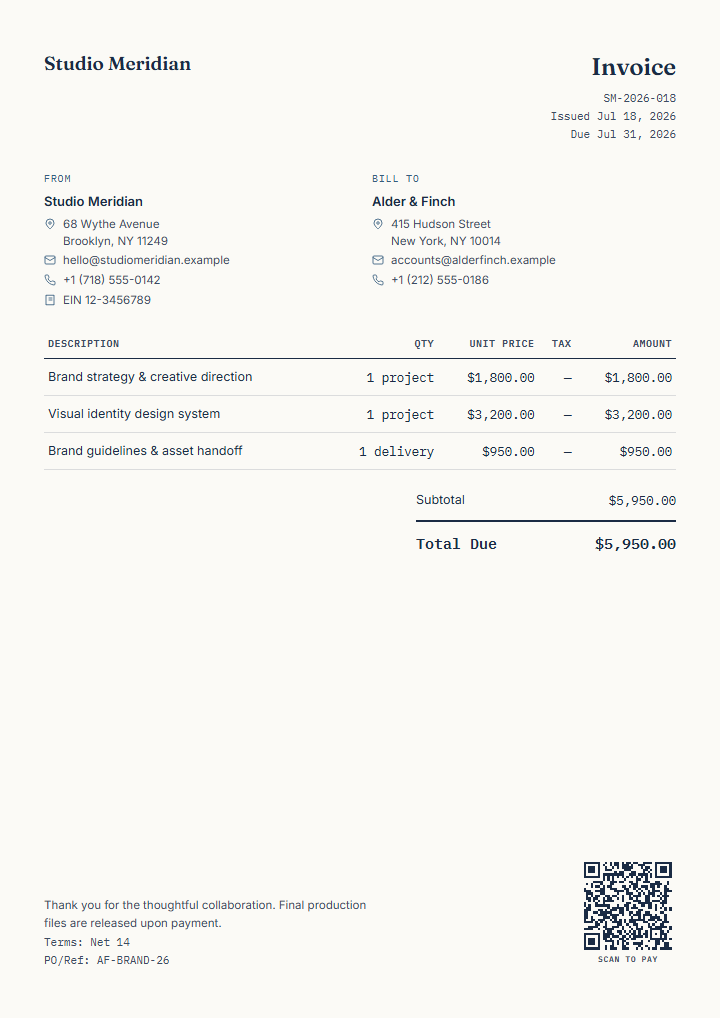
Finished fictional creative-project invoice demonstrating the type of document used in this workflow
Illustrative InvoiceCraftly creative-project export. Replace every field.
01Quote02Invoice03Receipt
Fictional business need

A client needs scope and price clarity before samples are produced.

Elena's fictional studio, North Form Atelier, is discussing concept development, pattern preparation, sample fittings, and production-ready specifications. A quote communicates proposed work. After the agreed work is supplied, a separate invoice requests payment. Once payment is received, a receipt records the completed transaction.

Stage 01

Quote the proposed collection work

Use a quote while the client is deciding whether to proceed.

Create a quote

Example line items

Proposed workUnitExample amount
Capsule concept and visual directionproject€1,200
Three pattern-ready garment specifications3 designs€1,650
Sample fitting and revision roundsession€450

Review before sharing

  • Describe what the quote includes and excludes.
  • Set an appropriate validity period and currency.
  • Explain assumptions, revision limits, materials, and delivery timing in the notes.
  • Verify tax treatment and any required business details independently.
Stage 02

Invoice the work actually supplied

Use an invoice after reviewing the final delivered scope and amount due.

Create an invoice

What changes from the quote

  • Replace proposed descriptions with completed deliverables.
  • Remove work that was not supplied and add only agreed variations.
  • Use the actual issue date, payment terms, client reference, totals, and payment destination.
  • Add a tested payment-link or EPC/SEPA QR only when appropriate.

Manual transition

InvoiceCraftly does not collect acceptance or automatically convert a quote. Elena may create a new invoice, or deliberately duplicate the local quote and change its document type, then review every field. The quote remains a separate record only if she keeps or exports it.

See how document types work →
Stage 03

Record payment with a receipt

Use a receipt only after payment has been received.

Create a receipt

Receipt details

  • Match the received amount and currency to the payment record.
  • Include an invoice, transaction, order, or internal reference.
  • Describe the supplied design work clearly.
  • Do not present an unpaid request as a receipt.

Useful finished record

The receipt can carry the same seller identity, client details, logo, accent colour, and line structure. Payment-due terms are hidden for this settled document type. Export the reviewed file and deliver it using the channel the client expects.

Read the receipt format guide →

InvoiceCraftly features used

  • Quote, invoice, and receipt document types.
  • Separate line items, mixed rates, discounts, and optional fees.
  • Logo, colour, notes, references, payment terms, and optional QR.
  • Browser-local History, duplicate workflow, and PDF, PNG, or SVG export.

Limits to keep visible

  • No client approval, signature, project-management, or payment-status workflow.
  • No automatic conversion or link between the three files.
  • No validation of scope, rights, tax, legal wording, or payment details.
  • Local documents require the user's own backup and record-keeping process.